Connections
Connections
The Connections feature surfaces first- and second-degree relationships on individual Lead, Contact, and Person Account records.
Prerequisites
- You must have individual access to Altrata's access platform.
- The email on your Altrata access account must exactly match your Salesforce user email.
- If you don't have Altrata access, contact [email protected] to obtain access.
First- vs. second-degree connections
- First-degree — a direct connection. Example: you personally know Sarah, who works at ABC Corp. You have a first-degree connection to Sarah and to ABC Corp through Sarah.
- Second-degree — an indirect connection through someone you know. Example: you know Sarah, who knows John at ABC Corp. You can reach ABC Corp through Sarah → John.
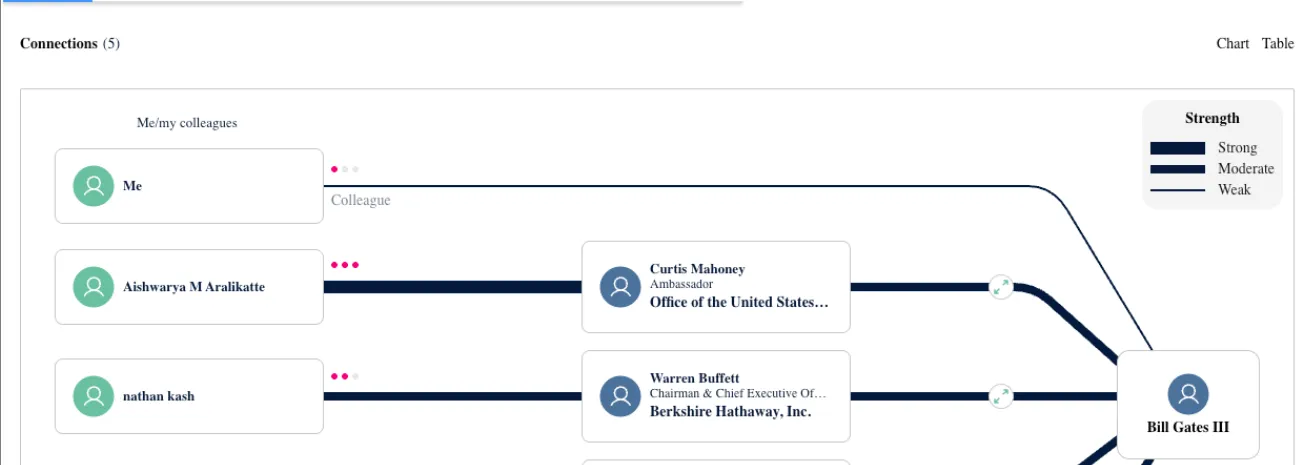
Viewing Connections
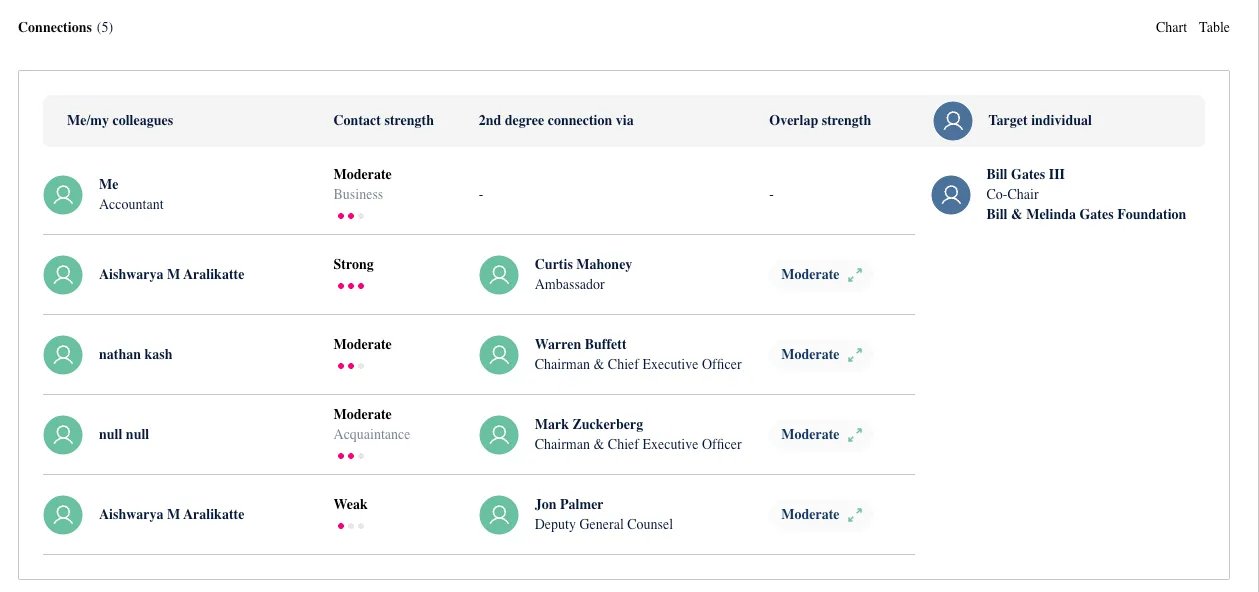
Connections appear directly on the Lead, Contact, or Person Account profile. The first five display by default — click See All to view the full list. Toggle between Table View (below) and Chart View (above) depending on what you're looking for.
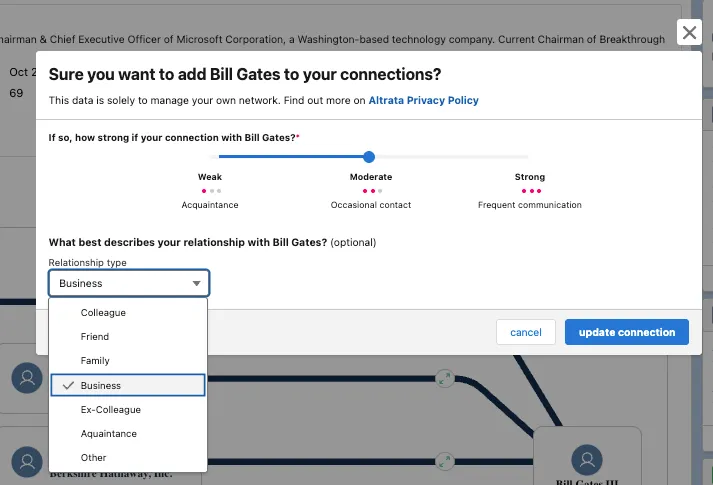
Adding and editing Connections
You can manually supplement the connections Altrata has on file.
- Add a new connection to capture a relationship not already in the database.
- Edit an existing connection to update the relationship type, strength, or organization.
⚠️ Connections can only be added or edited on person records (Leads, Contacts, Person Accounts). They cannot be managed at the Account (organization) level — connections are person-to-person by design.
Relationship details
When adding or editing a connection, you'll set:
Relationship type — defines the nature of the link. Options include: Colleague, Friend, Family, Business Partner, Ex-Colleague, Acquaintance.
Relationship strength — visual indicator of closeness:
- Weak — minimal interaction (thin line)
- Moderate — past collaboration or occasional contact (medium line)
- Strong — close, ongoing relationship (thick line)
Bulk uploading Connections
To screen large contact lists or import LinkedIn connections, use bulk upload:
- Open the App Launcher and search for Altrata.
- Click the Upload Connections tab.
- Click Proceed to be redirected to the Altrata web platform.
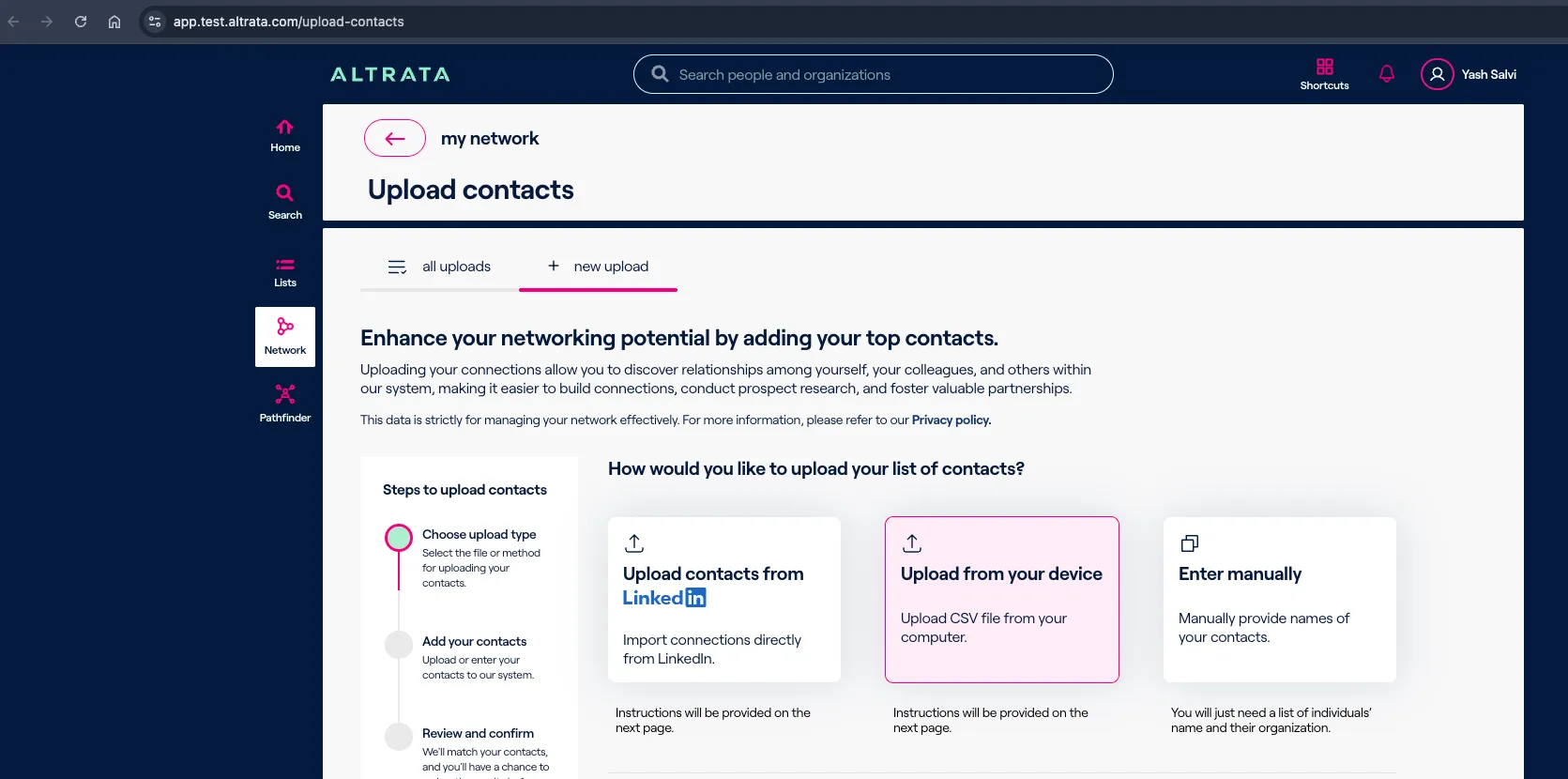
- Upload via LinkedIn or CSV.
This is ideal for quickly identifying paths from your existing contact lists.
Altrata Web Platform:
When a record has no Connections
If a record shows no existing connections, you'll see a prompt to bulk upload connections to grow your network from there.
Overlap
Overlap measures how well two people likely know each other based on shared professional history.
A role overlap occurs when two people held roles at the same organization at the same time. The system counts every overlap between two people; more overlaps = stronger likely relationship.
Example: if Bill Gates and Curtis Mahoney worked at the same organization for less than one year, the connection is shown as moderate strength.
Connections FAQ
Can I add or edit connections on an Account record? No — connections are person-to-person. Accounts represent organizations, so person-to-person connections wouldn't accurately reflect them.
How long does a newly added connection take to appear? Processing is asynchronous, so it may take a short while. It will appear automatically once processed.
Can I share a login to view Connections? No. For security and compliance reasons, every user must have their own Altrata access.
I have Altrata access but still can't see Connections. Contact Customer Support to troubleshoot.
Can the Relationships widget be hidden for specific users or profiles? No, this isn't currently supported.
Do connections sync between Salesforce and the web platform? Yes, syncing is bi-directional — changes in either place propagate to the other.
Can I see relationships for records that aren't matched to Altrata? No. A record must be matched to Altrata data to display connections.
My Salesforce email doesn't match my Altrata access email — what happens? The integration won't work until both emails match exactly.