Contacts (Relationships)
Contacts are an integral part of the Altrata experience. It allows you and your colleagues to see who has the best connections to a person or organization. Therefore, we strongly recommend loading in your contacts from at least one source, if not multiple sources.
Contacts (aka Relationships) are people who you have a relationship withwithin in some form or another. It could be a past colleague, current colleague, someone you've sat on a board with, a personal friend, etc..
Some of the most common source for Contacts are LinkedIn connections, Outlook Contacts and CRM relationships (e.g. Salesforce).
If you are instead leveraging Contact on behalf of someone, such as a Board Member or Donors, feel free to reach out to our Client Success team to discuss how best to accomplish this: [email protected]
Due to our matching logic you never have to worry about duplicates being formed if you load in multiple sources of Contacts.
To load contacts into the system click the Shortcuts option to go directly to the Contact Upload page, or click Network on the left side of the screen.
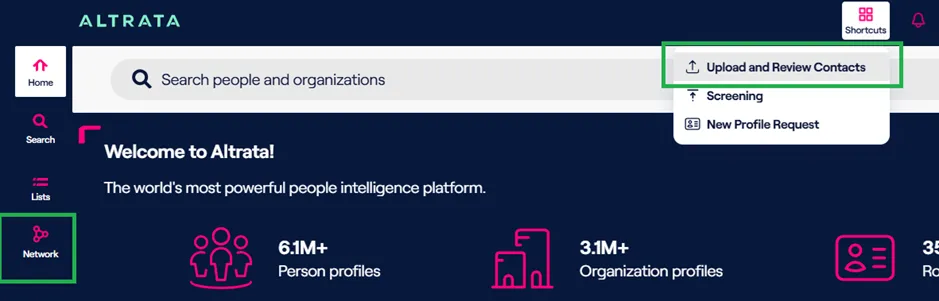
This will open your personal network.If this is your first time using the system, it will be empty.
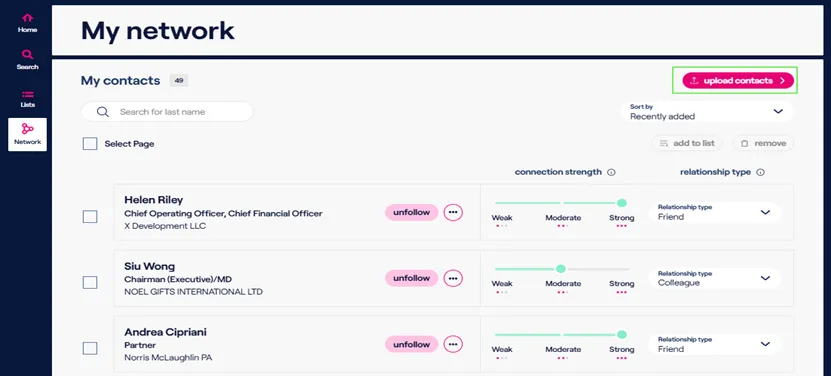
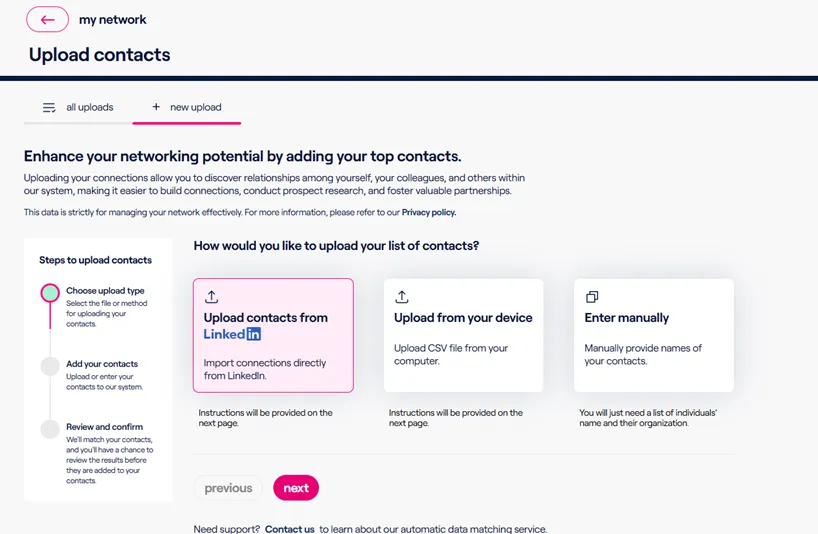
You can then click Upload Contacts which will pull up the Upload Contacts page. From there, you can upload your LinkedIn connections, import contacts from other sources using the standard Altrata CSV template, or enter the contact data manually.
You can click on any option based on your needs, then click Next and follow the on-screen instructions to upload your contacts into the system.
Once you upload your file into the system, you can view the status of all your uploads in the All Uploads tab. Use the View Results button to review the matching results once matching is complete.
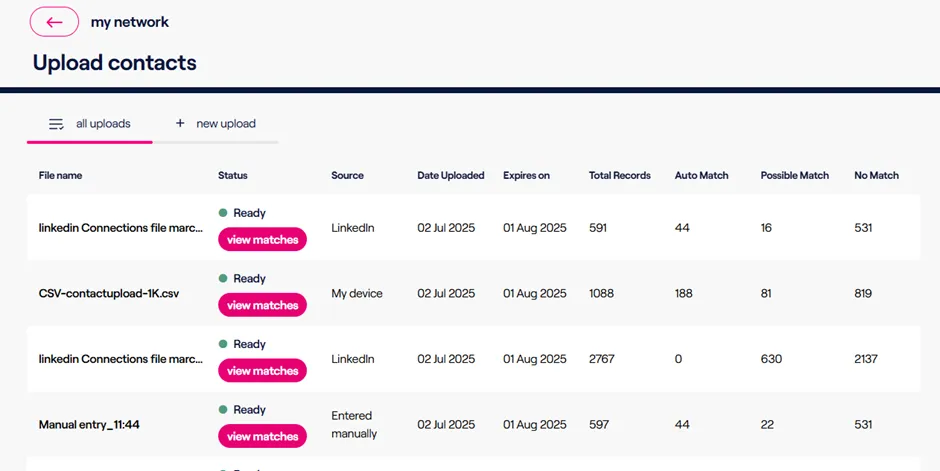
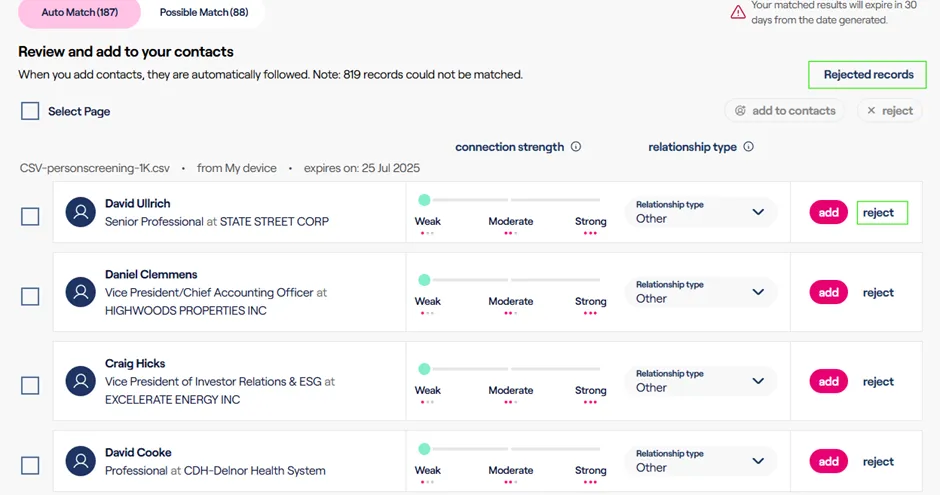
Contacts are matched against the Altrata data set, and there are three types of results that can happen when uploading a file.
Types of Matches:
- Match: Contacts (records) that Altrata is confident exist in our dataset and are the same individual that appear in the file you uploaded
- Possible/Potential: Contacts that the system was not 100% confident in, but believe have a match to a profile(s) in the system. This type of match requires manual confirmation from the user.
- No Match: Contacts from your file that either do not exist in the Altrata dataset or that we could not match confidently due to lacking information.
Matches that appear in Auto Match or Possible Match can be rejected, ensuring they do not appear again as matches for that request.
You can view rejected records by clicking the Rejected Records link on the page, which also allows you to undo a rejection and add them to your contacts.