Quick Start Onboarding Guide
4 min
What is Altrata ?
Gain actionable intelligence on people and organizations you’re interested in through Altrata’s unified platform. Uncover potential targets, identify optimal pathways, and find the best introduction points to connect with key individuals and organizations.
Starting Out
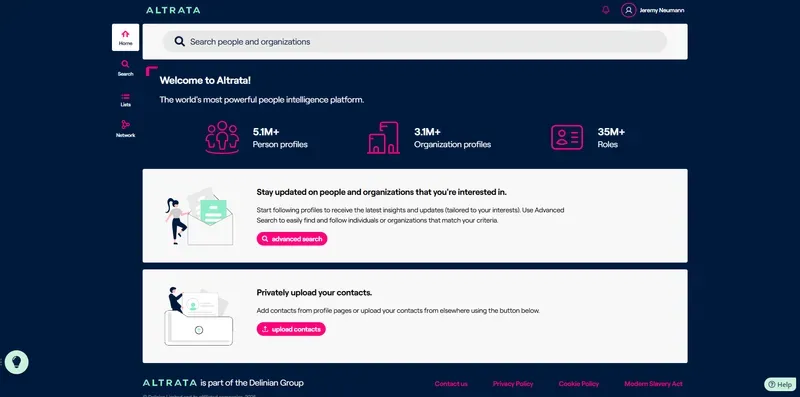
When you first log in, you’ll land on the Home Page where you can:
- Access high-level overview of available data and see if there have been significant data changes
- Leverage powerful tools for your workflow
- User the Smart Search Bar at the top to quickly find specific individuals or organizations
Essential Navigation Elements
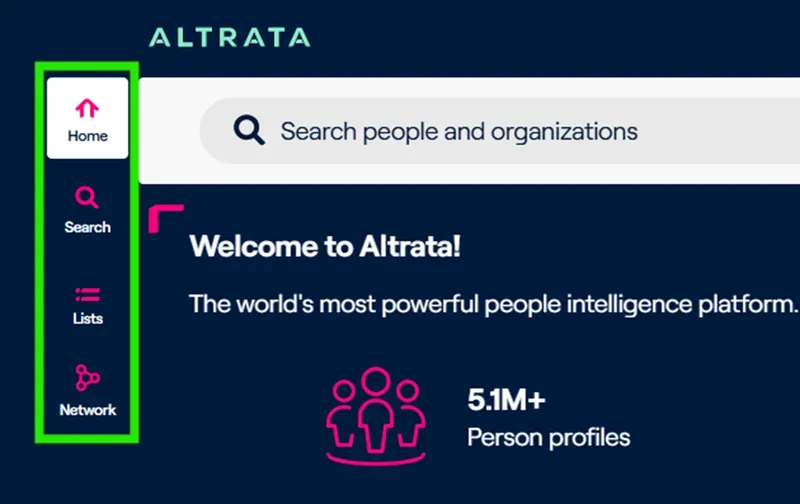
- Toolbar (left side): Access all available tools included in your subscription
- Home button (top): Return to the home page from anywhere in the system
- Search icon: Open Advanced Search to filter by specific criteria
- Lists: Organize your prospect, target, and portfolio data for easy reference
- Network: Upload your contacts from LinkedIn, Outlook, or other sources and find them within the system
What To Do First
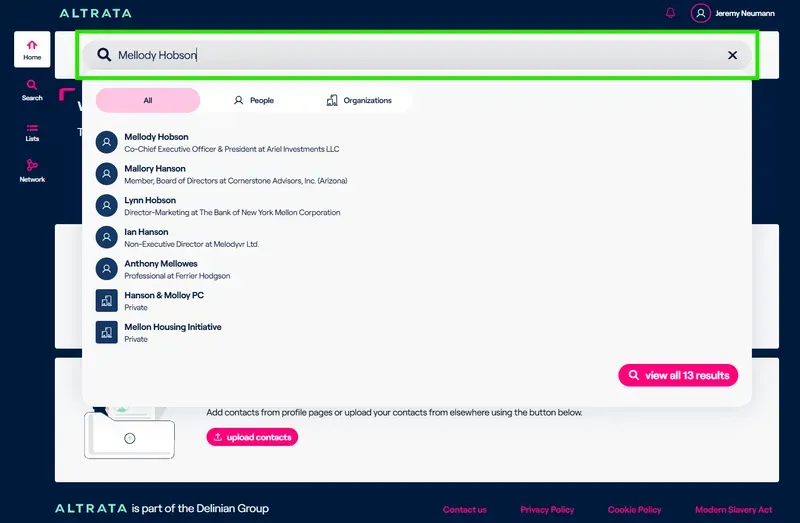
- Use Smart Search: Find profiles by typing names in the top search bar. Select from the dropdown menu to view individual or organization profiles.
- Try Advanced Search: Click the Search icon in the left toolbar to filter by multiple criteria and export your results.
- Upload Your Contacts: Select the Network button to add your connections from LinkedIn or other sources, personalizing your Altrata experience with your own network.
- Create Lists: Organize prospects and targets to easily track and manage your important relationships.
- Set Up Alerts: Follow specific individuals or organizations to receive email notifications about career changes, board appointments, and other important updates.
Contact our Support Team
If at any point you require help or wish for more interactive walkthroughs, or to chat with a Live agent, feel free to click on the help icons within the platform. Or reach out to [email protected]