Profiles
Altrata has a significant number of profiles on both individuals and organizations. Over 5 million profiles for people and 3 million profiles for organizations.
To look for these people & organizations you can type their name(s) in the smart search bar at the top of the app. A smart search drop down will appear, which will bring up results as you type to help you narrow down who you're looking for.You can toggle between showing all the results, people, or organization.
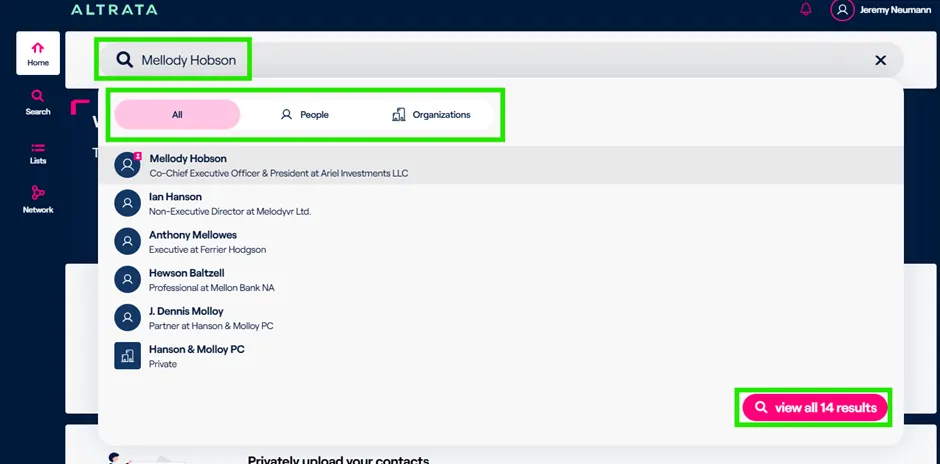
If you can't find someone you're looking for click View All Results, which is at the bottom of the drop down. This will pull up all the results so you can review it and see if the person/organization you're looking for is in the expanded results set.
To get access to the person you are looking for, you can click on their record from the drop down and it'll pull up their profile.
The profile will look very similar for all people in all organizations and vary depending on the types and quantity of data that we have for each person or organization.
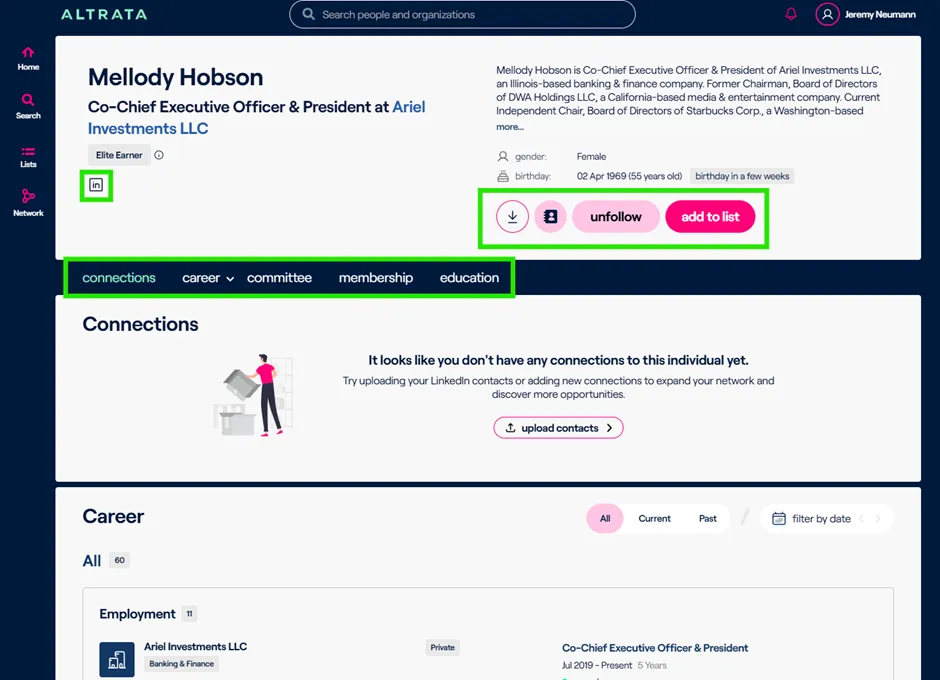
For people profiles, you have their name and kind of top role at the top left of the profile.
You will have a biography at the top right and then some options below:
- Downloading the profile to use & share offline
- Adding a person to your Contacts manually.
- Follow a profile for Alerts
- Adding a profile to a List(s)
The connections module will show the best pathway or best connection to the individual (profile) in question that you're looking at whether it's from you or your colleagues.This will depend on your organization's relationship sharing settings.
There are multiple sections in a profile:
- Career
- Connections
- Committees (Boards)
- Membership
- Education
- Individual Network
- Assets*
- Philanthropic Donation*
- Political Donations*
- Family Details*
You can filter many of these sections based off current or past status and by date, to look for positions or roles that someone's held within a certain span of time.
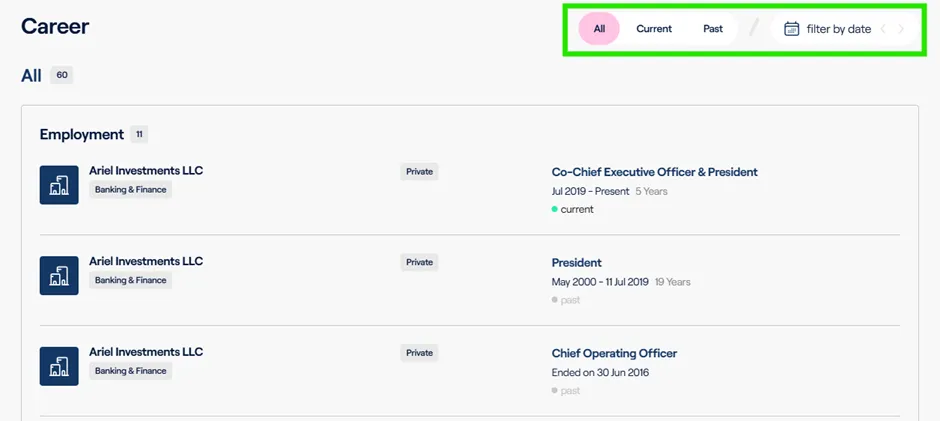
On each profile there is a bar at the top that will allow you to jump to any section quickly, so you do not have to scroll.
Additional data will be made available on profiles and continually expanded as we progress through our Altrata road map. There are also different types of data available depending on your use case. If you are someone that is focused more on professional data such as roles and boards, we have a data set that's most applicable to you. But if you're an organization or person who focuses more on the wealth side and wants to look at donations or how wealthy someone is, we also have a data set for you.
You can combine these data sets and they will appear on the same profile. Feel free to reach out and talk to your account manager for more details about what types of data are available and what our data road map looks like.
*These fields are part of Altrata's Wealth data package and may not be included in your subscription. Please reach out to your account manager to learn more.