Exporting & Actions
Once you have the results that you are looking for in Advanced Search, there's a few different options you have available.
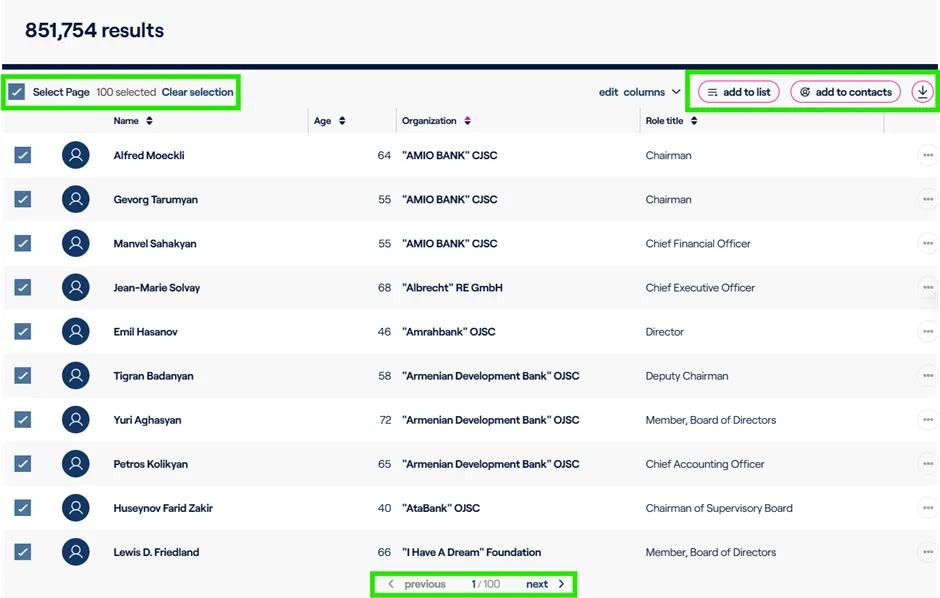
You can select the various records or pages that meet your criteria. To select more than one page, just click Next at the bottom and continue to select the ones that you wish.If you need to reset, simply click Clear Selection and start over.
The select records can then be actioned by either:
1. Add these results to a list, either an existing list or by creating a new list.
2. Add the results to your contacts
3. Download the results.
Export & Download Limits There's a Max limit of 5000 results for each advanced search report
Other Advanced Search Capabilities
There are a couple other options available to you within Advanced Search.
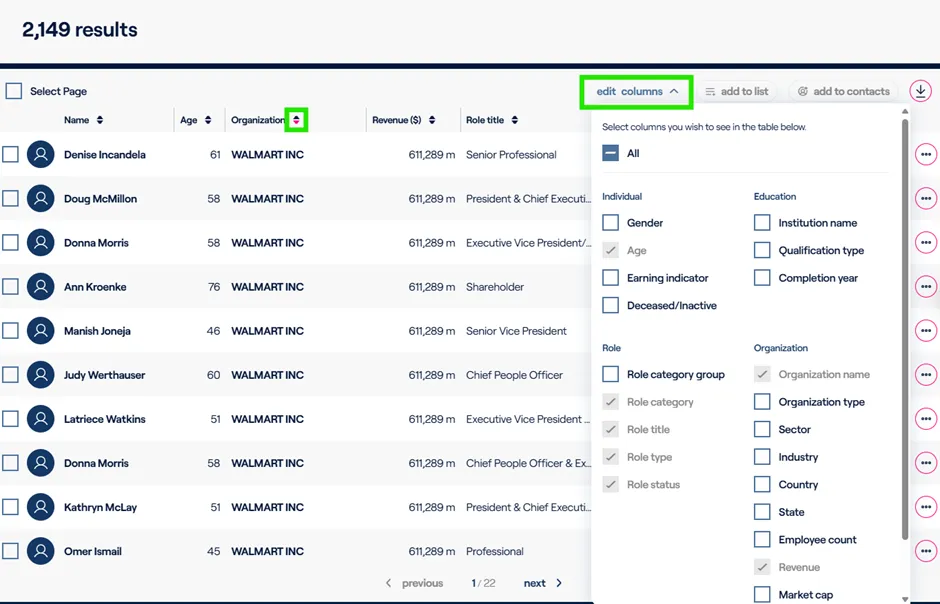
1. You can sort by the columns that appear.
a. If you wish to sort by the organization name, you can click on the arrow carrots next to each column name and it will sort them in either ascending or descending order.
2. Edit columns or add additional columns to the advanced search results
a. You can include additional organization details, education details, and other biographical information to the results which will also be included in the export/download of the results.